
When I Work
Per-user pricing makes it the buddy-punching fix for very small teams
score
Visiting through this link may earn us a commission if you sign up, at no extra cost to you. It doesn't change our review, our lowest editorial scores go to vendors who pay us the most for placement just as often as ones who pay us nothing.
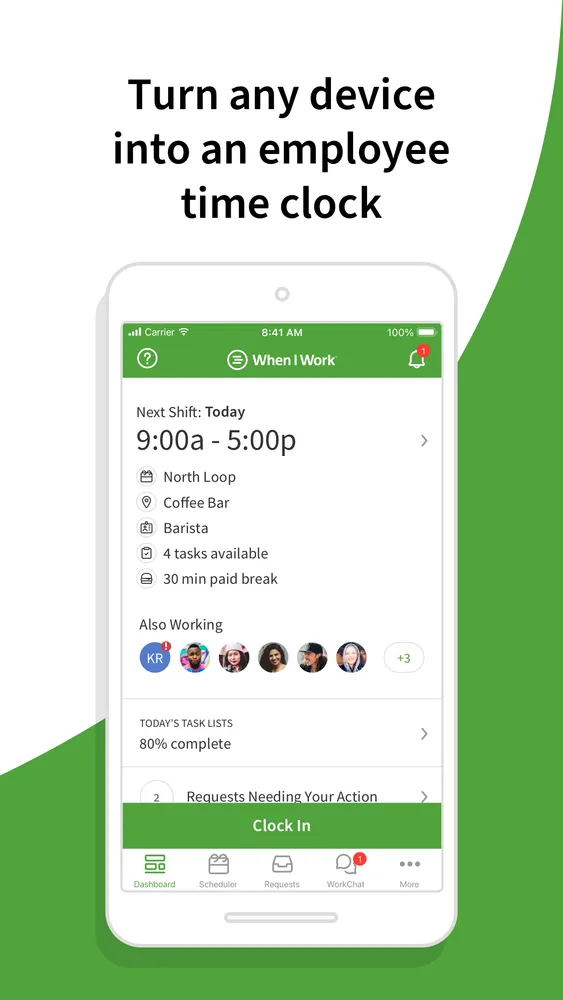
When I Work is scheduling software for hourly teams, out of Minneapolis, that's been around since 2010, long enough that the time clock side has grown into a real product rather than a checkbox. Employees clock in from their phones, and each punch gets a GPS pin. Set up a geofence around your location and punches from outside it get blocked or flagged, which kills the classic move of clocking in from the car, the bus, or bed. There's a photo clock-in option on top of that if you want a face attached to every punch.
The honest comparison is with Homebase, and the deciding factor is usually how you'd rather pay. Homebase charges per location, When I Work charges per user ($2.50 to $8 a month each depending on tier). Run a coffee shop with 25 part-timers and Homebase is cheaper. Run a cleaning crew of six spread across client sites every day and When I Work costs less and handles the multi-site reality better, geofences aren't tied to one storefront.
The asterisk is that time tracking isn't actually in the base price. Scheduling is the product you're quoted on, and Time Tracking & Attendance is a toggle that raises the per-user rate, with the pricing page being noticeably vague about what the toggle costs until you're deep in checkout. Budget for more than the sticker number. And like Homebase, there's no biometric check, a coworker holding someone's phone inside the geofence can still punch them in.
Pricing
Per user per month: Essentials $2.50, Pro $5, Premium $8. Time Tracking & Attendance is an add-on toggle on any plan that raises the per-user price, and When I Work doesn't publish the add-on cost cleanly on the pricing page. No contracts, no user minimums.
| Essentials | $2.50/user/mo scheduling; time tracking is a paid toggle |
| Pro | $5/user/mo adds multi-location scheduling tools |
| Premium | $8/user/mo full feature set; time tracking still a toggle |
Features
- GPS pin captured on every clock-in and clock-out
- Geofencing that blocks or flags punches from outside the job site
- Photo clock-in option
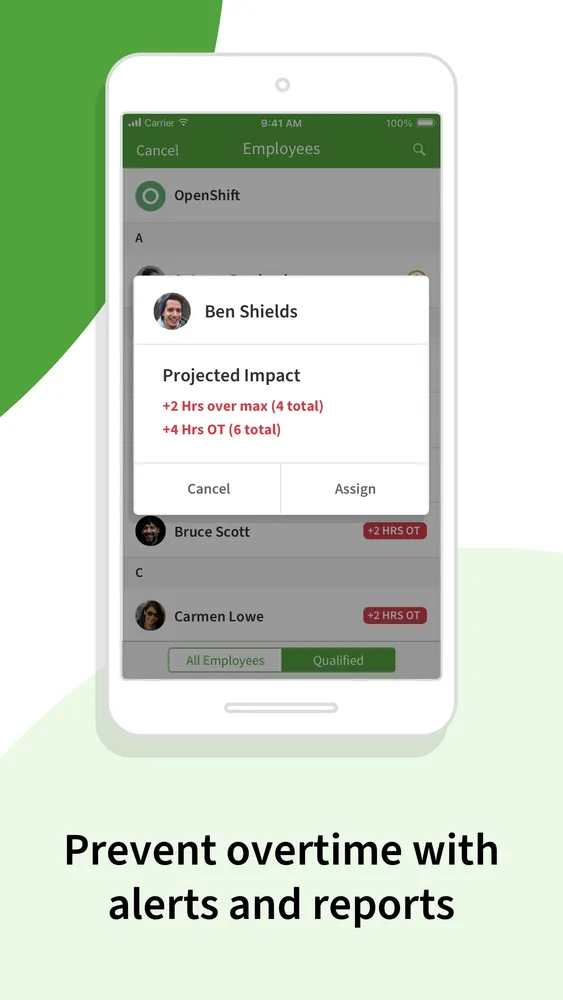
- Shift scheduling with open-shift and swap approvals
- Timesheets that export to payroll
- Team messaging built in
- Per-user pricing is the cheapest route for teams under ~10 people
- Geofences work per job site, not per storefront, so mobile crews are covered
- No contract, no minimums, easy to trial on one team before rolling out
- Time tracking costs extra on top of every advertised plan price, and the add-on price isn't published
- No biometric verification, a coworker with someone's phone can still buddy punch inside the fence
- Payroll integrations are US-centric even though the app works elsewhere
Small hourly teams, especially mobile ones (cleaning, field service, home care) where per-user pricing and per-site geofences beat the per-location model.
Large single-location teams, where per-location pricing like Homebase's is cheaper, or anyone who needs biometric proof of who actually punched in.
Screenshots
Supported countries
The app itself works internationally; payroll export partners are mostly US.
Integrations
When I Work alternatives
Tools worth comparing before you commit.