
Homebase
Editor's PickThe cheapest real fix for buddy punching, especially if you're already using it for scheduling
score
Visiting through this link may earn us a commission if you sign up, at no extra cost to you. It doesn't change our review, our lowest editorial scores go to vendors who pay us the most for placement just as often as ones who pay us nothing.
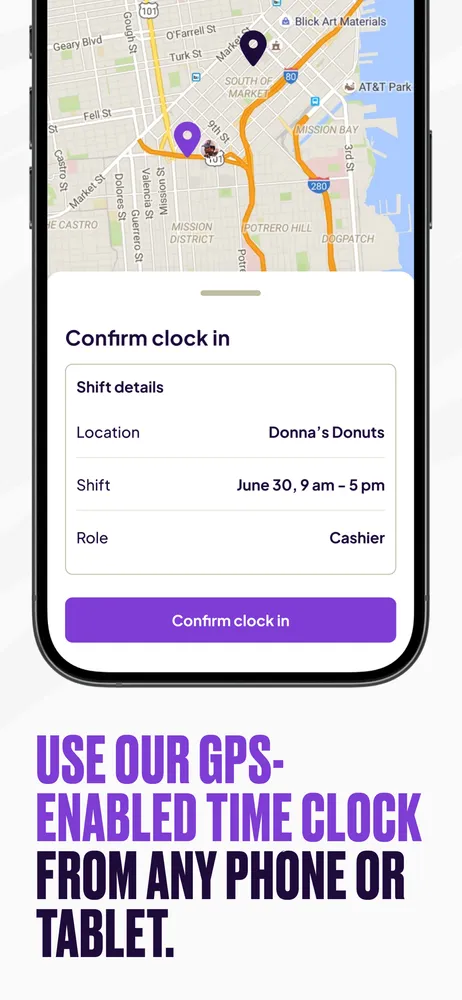
Homebase started as scheduling software for hourly teams and added time clock features that happen to close off the most common form of small-business payroll fraud: buddy punching, where one employee clocks in for another who isn't actually there. The Essentials plan adds GPS snapshots at clock-in and lets you set geo-fences around approved locations, so a clock-in from someone's couch instead of the store gets flagged automatically.
It's not a biometric time clock, so it's not the strongest possible defense against buddy punching (a coworker can still tap someone else's phone if there's no photo or fingerprint check), but it's a real, cheap, easy-to-roll-out improvement over an honor-system time clock or paper timesheets, which is what most of Homebase's target customers are actually replacing.
The practical case for Homebase over a dedicated time-theft tool is that most small businesses need scheduling anyway, and getting decent fraud resistance bundled into software you were going to buy regardless is a better deal than a standalone point solution, unless buddy punching is a big enough problem that you need biometric verification specifically.
Pricing
Free plan available for a single location with basic scheduling and time tracking. Paid plans (Essentials and up) that add GPS clock-in verification and geo-fencing run in the range typical for SMB scheduling tools, roughly $20-$100+/month per location depending on tier and team size.
| Basic | Free single location, core scheduling + time clock |
| Essentials | From ~$24.99/mo per location adds GPS clock-in, geo-fencing |
Features
- GPS snapshot verification at clock-in/out
- Geo-fencing to restrict clock-ins to approved locations
- Shift scheduling with labor cost tracking
- Team messaging and shift-swap approvals
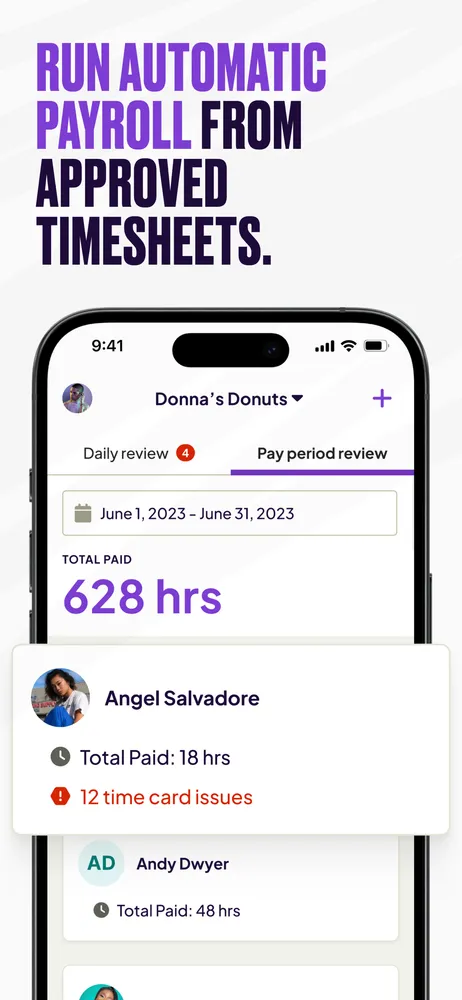
- Direct payroll integration/export
- Photo clock-in option on some plans
- Genuinely cheap, free tier covers a single location's basics
- GPS/geo-fencing stops the most common low-effort buddy punching (clocking in from home)
- Bundles fraud-resistant time tracking with scheduling you probably need anyway
- No biometric verification, so a determined coworker with physical access to someone's phone can still buddy punch
- GPS features require the paid tier, not available on the free plan
- Built for hourly/shift teams, not a fit for salaried-only offices
Small hourly-workforce businesses (retail, restaurants, service) that want to shut down casual buddy punching without buying a separate biometric system.
Businesses that need hard biometric proof of identity at clock-in, or that don't run hourly shift schedules at all.
Screenshots
Supported countries
Integrations
Homebase alternatives
Tools worth comparing before you commit.